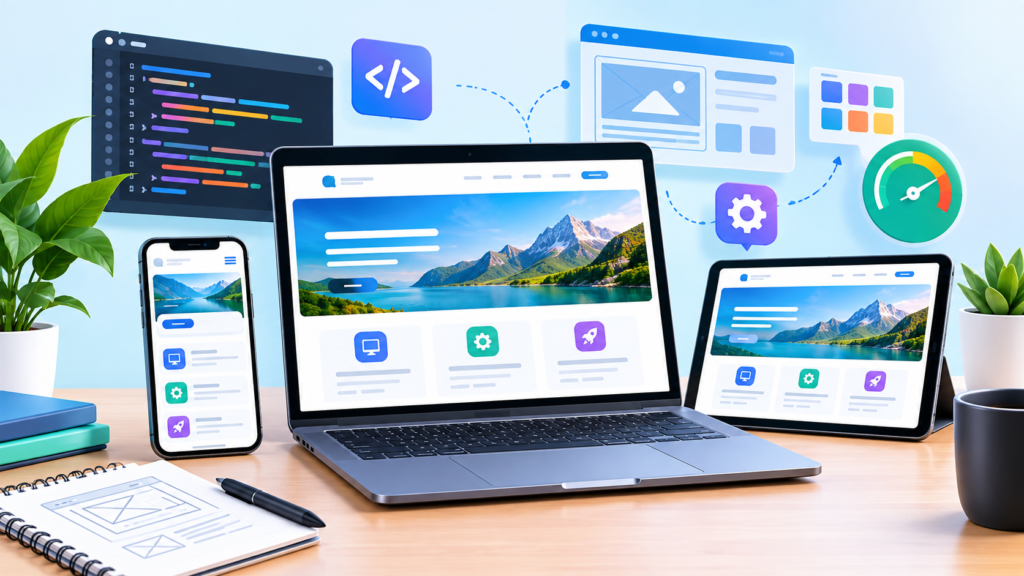
Learn how professional Website Design and Development creates fast, secure, responsive, accessible, SEO-friendly, and conversion-focused websites that build trust and support sustainable business growth.
Introduction
A modern website is much more than a digital brochure. It is often the first place where potential customers learn about a company, evaluate its credibility, compare its services, explore its products, and decide whether to take the next step. Effective Website Design and Development brings together visual design, user experience, technical architecture, content, performance, accessibility, security, search optimization, and conversion strategy. When these elements work together, a website becomes a practical business asset rather than simply an attractive collection of pages.
For MyBlogPoster, a successful website strategy should begin with the needs of real users. Visitors expect pages to load quickly, information to be easy to understand, navigation to be predictable, and important actions to be simple to complete. Search engines also need to discover, crawl, render, and understand important content. Google’s Search Essentials provide a useful foundation for understanding technical requirements, spam policies, and key practices for websites appearing in Google Search. A people-first approach should therefore guide both the design and technical implementation.
The strongest websites are planned around measurable objectives. A service business may want qualified enquiries, an online store may prioritize purchases, while a professional publisher may focus on readership, subscriptions, or returning visitors. These objectives influence page architecture, navigation, content strategy, calls to action, analytics, and technical decisions. This guide explores the complete process of creating a high-quality website, from initial planning through design, development, technical SEO, performance, security, accessibility, content, and long-term improvement.
Strategic Website Planning and Business Goal Alignment
Successful website projects start with strategy rather than decoration. Before selecting colours, fonts, templates, plugins, or development frameworks, the project should establish what the website needs to achieve. A useful planning process identifies the target audience, business objectives, key products or services, customer journeys, required functionality, content requirements, technical constraints, and measurable outcomes. This prevents teams from building pages simply because they look impressive and instead creates a clear connection between website functionality and genuine business requirements.
Audience understanding is especially important because different visitors arrive with different expectations. A first-time visitor may need a simple explanation of the company’s offering, while an existing customer may want support documentation, account information, product updates, or contact details. Search intent also matters. Someone searching for educational information has different expectations from someone comparing providers or preparing to make a purchase. Mapping different intents to appropriate pages creates a more useful information architecture and reduces the temptation to make every page serve the same purpose.
Project planning should also identify measurable success indicators. Depending on the business model, these may include qualified leads, completed purchases, consultation requests, newsletter registrations, product enquiries, engagement with important pages, or organic search visibility. Technical requirements should be documented at the same time. A website may need payment processing, CRM integration, email automation, appointment scheduling, inventory systems, analytics, customer accounts, or external APIs. Establishing these requirements early reduces expensive changes during development and gives designers, developers, content specialists, and stakeholders a shared direction.
User Experience and Information Architecture
User experience determines how easily visitors understand and use a website. A beautiful interface can still perform poorly if visitors cannot find important information, understand the navigation, or identify the next step. Good UX begins with information architecture, which organizes pages, categories, navigation, internal links, and content according to user expectations. A logical hierarchy allows people to move naturally from broad information toward specific details without unnecessary confusion.
Navigation should be consistent throughout the website. Primary navigation should focus on the most important destinations instead of attempting to expose every available page at once. Supporting information can be connected through contextual links, dropdown menus, breadcrumbs, related resources, and footer navigation. Descriptive labels are usually more useful than vague wording because users can understand what they will find before clicking. On larger websites, internal search can also help visitors locate products, articles, documentation, or other resources quickly.
A strong user experience also considers failure situations. Broken links, empty search results, form validation errors, unavailable products, failed payments, and missing pages should provide useful explanations rather than leaving users confused. Forms should request only information that is genuinely necessary. Error messages should explain what went wrong and how the visitor can correct it. Calls to action should be noticeable without becoming intrusive. Effective UX is ultimately about reducing uncertainty and helping users accomplish meaningful tasks efficiently.
Responsive Web Design for Modern Devices
Responsive web design enables a website to adapt to different screen sizes, orientations, and device capabilities. Visitors may access the same website using smartphones, tablets, laptops, desktop monitors, or other connected devices. A layout designed only for a large desktop display can create problems on smaller screens, including tiny text, crowded navigation, difficult forms, oversized images, and excessive horizontal scrolling. Responsive design addresses these issues through flexible layouts, scalable media, adaptable components, and appropriate breakpoints.
Mobile-first design can be particularly useful because smaller screens force teams to prioritize the most important content and functionality. Designers can first establish the essential navigation, core messaging, primary actions, and critical content before progressively enhancing the experience for larger screens. Touch interaction should also be considered. Buttons need adequate space, important controls should be easy to reach, and essential functionality should not depend entirely on hover effects that are unavailable on many touch devices.
Testing should take place on real devices as well as responsive browser previews. Different operating systems, browsers, screen densities, input methods, and network conditions can reveal problems that are invisible during basic desktop testing. Images should resize correctly, forms should remain usable, tables should be accessible, and important content should not disappear at smaller widths. Responsive design is therefore not simply a visual technique; it is an important part of delivering a consistent and practical user experience.
Selecting the Right Website Technology and CMS
Technology decisions should be based on actual project requirements. A small business website may require a straightforward content management system, while a complex web application could need a custom frontend, backend services, databases, APIs, and specialized infrastructure. The appropriate technology stack should support current requirements while allowing reasonable future expansion. Performance, security, maintainability, developer availability, integration requirements, hosting, cost, and content workflows should all influence the decision.
A content management system can be particularly useful when marketing teams need to publish articles, update service pages, manage products, or maintain other content without developer assistance. However, excessive plugins and third-party extensions can create unnecessary maintenance and compatibility problems. Every component should have a clear purpose. A smaller collection of reliable and maintained tools is often easier to secure and manage than an installation containing large numbers of unnecessary features.
Custom development can make sense when a business requires functionality that cannot reasonably be delivered through an existing platform. Complex workflows, specialized business applications, large-scale integrations, and unique customer experiences may justify a custom architecture. However, customization also increases responsibility for testing, documentation, security, updates, deployment, and long-term maintenance. The best technology is therefore not automatically the newest or most complicated option. It is the technology that reliably solves the project’s real problems.
Website Performance and Core Web Vitals
Website performance has a direct relationship with the quality of the visitor experience. Pages that take too long to load can create frustration and make interactions feel unreliable. Performance should therefore be considered during architecture and development instead of being treated as an afterthought. Developers can reduce unnecessary resources, optimize images, improve caching, minimize expensive JavaScript operations, and avoid loading functionality that visitors do not need.
Core Web Vitals provide user-focused measurements related to important aspects of web experience, including loading, responsiveness, and visual stability. These measurements can help development teams identify technical issues that deserve attention. However, optimization should not become a race for a perfect laboratory score. A website can have a strong technical score while still providing a poor experience if its navigation, content, forms, or conversion journey are confusing. Performance should therefore be evaluated alongside real user behaviour.
Performance also needs ongoing monitoring. New analytics scripts, advertising technologies, videos, fonts, plugins, images, and interactive components can gradually increase page weight. A website that was fast at launch can become slower after months of changes. Teams should periodically test important page templates and monitor real-world performance data where available. Maintaining a performance budget can also help prevent new functionality from creating unnecessary technical overhead.
Technical SEO and Search-Friendly Website Architecture
Technical SEO helps search engines discover and understand a website’s important content. A technically sound website should have logical URLs, accessible navigation, appropriate status codes, useful internal links, clear page relationships, and properly managed indexing controls. Google’s Search Essentials explain the fundamental technical requirements and practices associated with Google Search.
Page titles should accurately describe the content of each page instead of becoming lists of repeated keywords. Headings should create a logical content hierarchy for readers. Internal links should help users discover related information and allow search engines to understand relationships between pages. XML sitemaps can help search engines discover important URLs, particularly on larger or frequently updated sites. A carefully configured robots.txt file can provide crawling instructions, but it should not be treated as a universal indexing control.
Canonicalization is another important technical consideration when multiple URLs can represent similar or duplicate content. A canonical URL can help indicate which version should be treated as the representative page. Redirects should also be planned carefully when URLs change. A website migration, redesign, or restructuring can cause significant technical problems if old URLs are removed without appropriate redirects and monitoring. Technical SEO should therefore be incorporated into website architecture from the beginning rather than added after development.
Website Security and Protection of User Trust

Security is a fundamental component of professional website development. A compromised website can expose information, inject malicious content, redirect visitors, damage reputation, or become unavailable. Basic protections include HTTPS, secure authentication, strong passwords, controlled administrative permissions, software updates, reliable backups, dependency management, and secure configuration. Security should be considered throughout development rather than being added only after launch.
Authentication systems deserve particular attention because administrative accounts can provide attackers with extensive control. Teams should minimize unnecessary permissions, protect sensitive credentials, maintain secure sessions, and monitor important administrative activity. Input validation and appropriate security controls should also be implemented throughout the application. Third-party services deserve review because external scripts and integrations can introduce additional dependencies and potential security risks.
Security also requires preparation for incidents. A business should know who has administrative access, how backups can be restored, where important credentials are managed, and what steps should be taken if suspicious activity occurs. Google’s spam policies also address hacked content and other practices that can negatively affect search visibility. Regular updates, access reviews, backups, monitoring, and appropriate security testing can help reduce avoidable risks and protect both the website and its users.
Accessibility, Inclusive Design, and Usability
Accessibility helps ensure that people with different abilities can perceive, navigate, understand, and interact with website content. Inclusive design can benefit everyone because readable typography, clear labels, logical navigation, descriptive links, captions, predictable interactions, and understandable forms create a better experience for a broad range of users. Accessibility should therefore be considered from the beginning of the design process rather than treated as a final checklist.
Semantic HTML provides an important technical foundation. Headings should represent the actual content hierarchy, buttons should perform actions, links should navigate, and form controls should have meaningful labels. Keyboard accessibility is equally important because not every visitor uses a mouse or touchscreen. Users should be able to move through interactive elements, understand where focus is located, and complete important tasks without relying exclusively on pointer input.
Visual decisions also influence accessibility. Text should have sufficient contrast, information should not depend entirely on colour, and important content should remain usable when users increase text size. Animation should be implemented thoughtfully because excessive movement can create problems for some users. Automated accessibility tools can identify many technical issues, but manual review is also necessary. A mature accessibility process combines automated testing, keyboard testing, design review, and, where possible, testing with people who use assistive technologies.
Content Strategy, On-Page SEO, and E-E-A-T
A high-quality website needs more than technically correct pages. It needs content that genuinely helps visitors understand a subject, solve a problem, compare options, or take an informed action. A strong content strategy begins by identifying the questions, concerns, goals, and search intentions of the target audience. Service pages can explain what a business provides, product pages can clarify features and benefits, and educational resources can answer common questions in greater depth. When these pages are connected logically, the website becomes a useful information resource rather than a collection of isolated pages.
On-page SEO should support this experience instead of interfering with it. Page titles, headings, URLs, image descriptions, internal links, and relevant terminology should accurately describe the page. Google’s SEO Starter Guide provides guidance on helping search engines understand website content. Keyword research can identify the language people use when searching, but keywords should be incorporated naturally. Repeating the same phrase unnecessarily can make content difficult to read and may create a poor experience. The objective should be to answer the user’s question comprehensively rather than writing for a keyword count.
E-E-A-T is also an important quality consideration, particularly for content where accuracy and trust matter. Experience can be demonstrated through practical examples, original observations, case studies, screenshots, processes, or lessons learned. Expertise can be supported through accurate explanations and appropriate subject knowledge. Authoritativeness can be strengthened through credible references, transparent business information, and a consistent history of useful content. Trustworthiness requires accuracy, transparency, secure website functionality, and honest claims. These principles should influence the entire content process rather than being added as superficial signals after writing is complete.
Conversion-Focused Website Design
A website can attract significant traffic and still produce disappointing business results if visitors cannot easily understand what to do next. Conversion-focused design connects user needs with meaningful business actions. Depending on the website, a conversion might be a purchase, enquiry, consultation request, account registration, newsletter subscription, booking, quote request, or resource download. Every important page should have a purpose, and the desired action should be understandable without forcing visitors through unnecessary steps.
A strong conversion page communicates its value quickly. Visitors should be able to understand what is being offered, who it is intended for, what problem it addresses, and what action they can take. Supporting elements such as testimonials, case studies, demonstrations, specifications, guarantees, credentials, reviews, or clear service details can reduce uncertainty when they are genuine and relevant. Calls to action should use understandable language and should be visually distinguishable without becoming aggressive or disruptive.
Conversion optimization should be evidence-based. Analytics can identify pages with substantial traffic but weak conversion activity. User feedback can reveal concerns that analytics alone cannot explain. A/B testing can be used when there is enough traffic and a suitable testing process. Form completion rates can reveal whether visitors abandon a process because it is too complicated. By combining quantitative and qualitative information, businesses can improve page structure, messaging, forms, navigation, and calls to action without relying solely on personal design preferences.
Images, Video, and Visual Content Optimization
Visual content plays an important role in modern website design. Images can demonstrate products, explain concepts, establish brand identity, show real projects, and make complex information easier to understand. However, images should have a clear purpose. Decorative graphics should not overwhelm important information, while meaningful images should be presented with appropriate descriptions and context. Authentic photography and original illustrations can also strengthen credibility when they accurately represent the business or subject.
Image performance should be considered during development. Large, unnecessarily detailed images can increase page weight and slow down loading. Images should be appropriately sized, compressed, and delivered in formats suitable for the website’s requirements. Responsive image techniques can allow browsers to select suitable resources for different screen sizes. Below-the-fold images can often use lazy loading, while critical visual assets may need to load earlier. The objective is to achieve an appropriate balance between visual quality and performance.
Video requires additional consideration because it can consume significant bandwidth and processing resources. Businesses should avoid adding videos simply because competitors use them. A short product demonstration, tutorial, case-study video, or process explanation can be valuable when it answers a real user need. Captions and transcripts can improve accessibility and provide additional textual context. Third-party video embeds should also be reviewed because they can introduce external requests and scripts. Every media element should contribute to the user’s understanding rather than simply increasing visual complexity.
Analytics, Search Console, and Data-Driven Optimization
Website performance should be evaluated using meaningful data rather than assumptions. Analytics can reveal how visitors discover a website, which pages attract attention, which actions users complete, and where potential customers leave the journey. Google Search Console can provide useful information about search visibility, indexing, search queries, and technical issues. When these data sources are combined with business information, teams can develop a clearer understanding of what is working and where improvements may be required.
Measurement should begin with clearly defined objectives. A business that wants qualified leads should distinguish meaningful enquiries from low-value interactions. An online store should track important purchasing events rather than relying solely on traffic. A publisher may care about engaged readership, subscriptions, or returning visitors. A useful measurement framework separates primary business outcomes from supporting metrics. This prevents teams from becoming distracted by numbers that look impressive but do not contribute meaningfully to the organization’s goals.
Data becomes useful when it leads to action. If a service page receives significant organic traffic but few enquiries, the problem may involve search intent, messaging, trust signals, page structure, or the conversion path. If visitors leave quickly from a particular template, teams can investigate content relevance, performance, navigation, or usability. If mobile visitors behave differently from desktop users, responsive design deserves additional testing. Regular analysis creates a feedback loop that allows website improvements to be based on observed behaviour rather than guesswork.
Website Maintenance, Scalability, and Long-Term Growth
Launching a website is not the end of the project. Websites require continuous maintenance because software changes, security vulnerabilities emerge, integrations evolve, content becomes outdated, and customer expectations develop. A maintenance process should include software updates, backups, security reviews, broken-link checks, performance monitoring, analytics reviews, content audits, and technical testing. Without regular maintenance, even a well-developed website can gradually become slower, less secure, and more difficult to manage.
Scalability should also be considered during the initial architecture. A growing business may eventually add new services, products, locations, languages, integrations, employees, or customer accounts. A website structure that works for ten pages may become difficult to manage when hundreds or thousands of pages are introduced. Flexible content structures, reusable components, organized databases, documented integrations, and sensible URL conventions can reduce future complexity.
Content maintenance is equally important. Information about products, services, prices, policies, regulations, technology, or business processes may change over time. Old articles can contain outdated recommendations or broken references. A regular content audit can identify pages that should be updated, consolidated, redirected, or removed. Technical audits can identify indexing problems, performance regressions, accessibility issues, broken links, and security concerns. Continuous improvement protects the value of the original website investment.
Common Mistakes in Website Design and Development
One of the most common mistakes is starting development before defining the website’s objectives and user needs. Teams may spend significant time selecting colours, animations, templates, and technical features without determining the actual problems the website needs to solve. The result can be visually polished but strategically weak. Planning should therefore establish audiences, business objectives, page requirements, customer journeys, functionality, content, and measurable outcomes before development progresses too far.
Another common problem is ignoring performance until the final stage. Large images, unnecessary plugins, excessive JavaScript, third-party tracking scripts, web fonts, videos, and animations can gradually create a heavy website. Developers may also test only on fast desktop connections. Real visitors may use mobile devices, slower networks, or less powerful hardware. Performance should therefore be evaluated throughout development and after major changes rather than being treated as a one-time launch task.
SEO mistakes can also reduce a site’s effectiveness. Examples include unclear page titles, duplicate pages, poor internal linking, incorrect redirects, accidental indexing controls, keyword stuffing, thin content, and manipulative link practices. Google’s spam policies explain practices that can violate Google’s guidelines. Sustainable search visibility comes from useful content, accessible architecture, appropriate technical implementation, and a genuine focus on visitors. Attempts to manipulate ranking systems can create long-term risks instead of building durable search performance.
Best Practices Summary for a High-Performance Website

The best website projects begin with a clear understanding of the audience and business objectives. Before development starts, teams should establish information architecture, page requirements, content strategy, technical requirements, integrations, conversion goals, and measurement plans. Design should then translate those requirements into a clear, accessible, responsive experience. Navigation should be predictable, content should be readable, calls to action should be understandable, and important information should remain easy to find.
Technical quality should be built into the website from the beginning. Use an appropriate technology stack, maintain secure authentication, keep software updated, optimize images, minimize unnecessary scripts, monitor performance, and establish reliable backups. Technical SEO should include logical URLs, useful page titles, crawlable content, appropriate internal links, correctly configured indexing controls, and relevant structured data where applicable. Google’s structured data guidelines should be followed whenever structured data is implemented.
Finally, website quality should be measured and improved continuously. Monitor important business conversions, search visibility, technical health, accessibility, performance, and user behaviour. Review older content and update information when necessary. Test critical journeys such as contact forms, purchases, registrations, bookings, and account processes. Security should receive ongoing attention rather than being considered complete after launch. A website becomes a stronger long-term asset when design, development, content, SEO, accessibility, security, analytics, and maintenance are treated as connected parts of the same system.
FAQs
1. What is Website Design and Development?
Website design focuses on the visual and interactive experience of a website, including layouts, typography, navigation, colours, branding, and user interactions. Website development converts those designs into a working technical system using frontend and backend technologies, databases, integrations, hosting, and other infrastructure. The two disciplines work together to create a website that is attractive, functional, accessible, secure, and useful.
2. How long does professional website development take?
The timeframe depends on project complexity. A small informational website may require substantially less time than an e-commerce platform, membership website, or custom web application. The amount of content, number of templates, integrations, design revisions, functionality, testing, and approval stages can all affect the schedule. A reliable project plan should include research, design, development, content preparation, testing, optimization, and launch activities.
3. Why is responsive web design important?
Responsive design allows a website to adapt to different devices and screen sizes. Since visitors may use smartphones, tablets, laptops, and desktop computers, a fixed desktop-only layout can create usability problems. Responsive websites can adjust navigation, images, typography, spacing, and components so that visitors can interact with the site more comfortably across different devices.
4. How does website design affect SEO?
Website design can influence SEO through content accessibility, page structure, navigation, mobile usability, internal linking, performance, and technical implementation. Good design helps visitors find and understand information while ensuring important content remains accessible to search engines. Design alone does not guarantee rankings, but a poorly structured website can create technical and usability problems that make search visibility more difficult.
5. What makes a website trustworthy?
Trust is supported by accurate information, transparent business details, professional functionality, secure connections, clear contact options, appropriate policies, authentic evidence, and useful content. Businesses should avoid exaggerated claims and should make important information easy to verify. Clear authorship, relevant references, case studies, testimonials, and accurate service descriptions can also support user confidence when they genuinely reflect the business.
6. What are Core Web Vitals?
Core Web Vitals are user-focused web performance metrics covering important aspects of loading experience, responsiveness, and visual stability. They provide useful signals for identifying performance problems that may affect visitors. Teams should combine these measurements with broader usability and performance testing rather than treating one numerical score as the complete definition of website quality.
7. Should every website use structured data?
No. Structured data should be implemented when it accurately describes eligible content and is supported by the relevant search feature. It should not be added simply because a website owner expects it to improve rankings. Google’s structured data policies explain important requirements, including accuracy and representation of page content.
8. How often should a website be updated?
There is no single schedule that applies to every website. Security and software updates should be applied when they become necessary. Content should be reviewed according to how quickly the information changes and how important accuracy is to visitors. Businesses should also monitor performance, analytics, accessibility, broken links, search visibility, and technical health regularly.
Conclusion
Professional Website Design and Development is a combination of strategy, creativity, engineering, content, usability, security, performance, and continuous improvement. A website should not be judged only by how attractive it looks when it launches. It should also be evaluated by how effectively it helps visitors find information, understand an offer, complete important actions, and trust the organization behind it.
A strong website begins with research and planning. Businesses should identify their audience, define measurable objectives, establish a logical information architecture, create useful content, and select technology that matches actual requirements. From there, responsive design, accessibility, performance optimization, technical SEO, security, analytics, and conversion optimization should be integrated into the development process.
Long-term success requires ongoing attention. Websites need security updates, content reviews, technical audits, performance monitoring, analytics analysis, and usability improvements. Search engines and web technologies also evolve, making continuous learning important. Following official resources such as Google’s Search Essentials, SEO Starter Guide, and Search Console documentation can help website owners keep their practices aligned with current guidance.
The central principle is simple: build for people first, then make the technical foundation easy for search engines to understand. When usability, useful content, performance, accessibility, security, and technical quality work together, a website can become a durable platform for visibility, trust, customer engagement, and sustainable business growth.
Want to Implement This Easily?
Prompt Text:
You are an expert consultant. Based on the blog post titled “(Website Design and Development)”, provide a step-by-step, practical implementation guide. Include tools, best practices, common mistakes to avoid, and advanced tips. Assume the reader wants to implement everything discussed in this article effectively.
Call to Action: Want our help implementing this? Just reach out to us via our website contact form: https://www.myblogposter.com/contact-us/