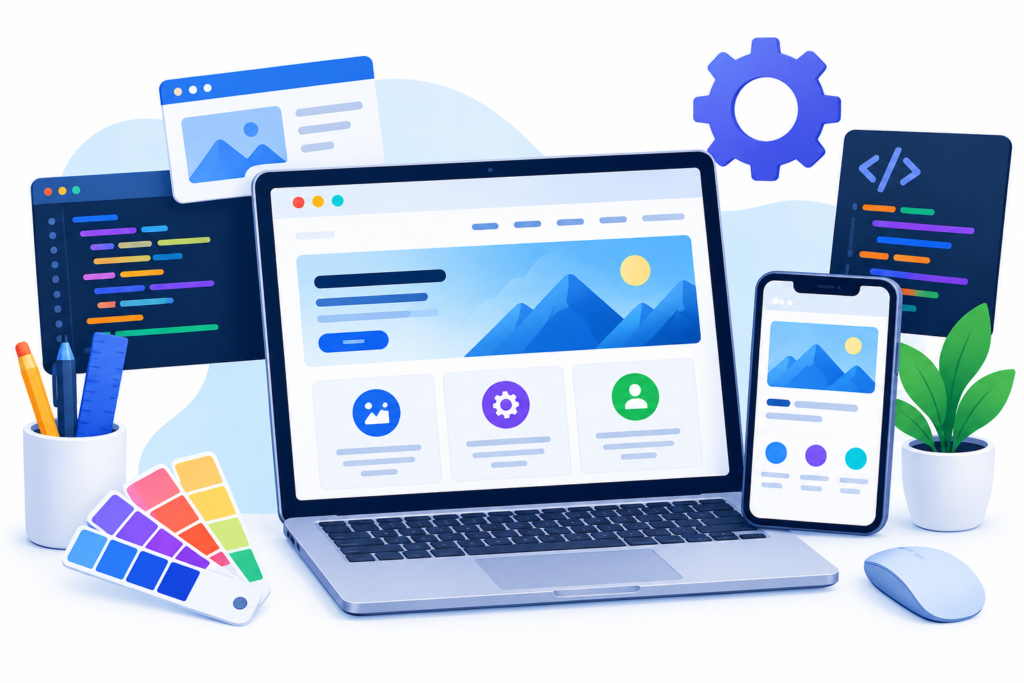
Explore website design and development, including responsive web design, user experience, SEO, website security, performance optimization, and strategies for building a successful business website.
Introduction
Website design and development play an essential role in building a successful online presence. A website is often the first place potential customers interact with a business, explore its services, evaluate its credibility, and decide whether to take the next step. A professionally designed website can communicate a company’s value, answer customer questions, and turn visitors into leads or paying customers. However, creating an effective website requires much more than choosing attractive colors and adding a few pages. It involves careful planning, thoughtful design, reliable programming, useful content, search engine optimization, accessibility, security, and continuous improvement.
For businesses that want to grow online, website design and development should be treated as a long-term investment rather than a one-time technical task. Design determines how visitors experience and understand a website, while development makes its features work reliably across devices and browsers. When these two disciplines work together, businesses can deliver a consistent user experience, improve customer confidence, support marketing campaigns, and create a stronger foundation for sustainable growth. A website must also meet the practical needs of its audience, whether visitors want to compare services, purchase products, book appointments, or contact a company.
At MyBlogPoster, the goal is to help businesses understand the digital strategies that support stronger online performance. This comprehensive guide explains how to plan, design, develop, optimize, and maintain a business website. It covers essential website components, mobile responsiveness, user experience, technical SEO, performance, security, content planning, and conversion optimization. You will also learn about common development mistakes, practical implementation methods, and proven best practices that can help you build a website that serves both your customers and your business objectives.
Understanding Website Design and Development
Website design and development are closely related disciplines that work together to create a functional, accessible, and visually consistent online experience. Website design focuses on how a website looks, feels, and communicates with its visitors. It includes layout, typography, colors, imagery, navigation, spacing, branding, and the arrangement of content. Website development focuses on implementing that design through code, content management systems, databases, integrations, and other technologies that make the website operate correctly. A successful project requires both disciplines because an attractive interface cannot compensate for broken functionality, and technically advanced programming cannot compensate for a confusing user experience.
Website design generally includes several stages. Research helps identify the intended audience, competitors, customer expectations, and business goals. Information architecture organizes pages and content into a logical structure. Wireframes establish the arrangement of important elements before detailed visual design begins, while prototypes allow stakeholders to test navigation and interactions. The design stage then establishes the visual system, including brand colors, heading styles, buttons, forms, icons, and image treatments. These decisions should be guided by user needs rather than personal preferences alone. For example, a service business may need prominent contact information, clear service descriptions, customer testimonials, and straightforward enquiry forms. An online store may require product filters, detailed product pages, shipping information, and a reliable checkout process.
Website development transforms the approved design into a working product. Front-end development handles the elements visitors see and interact with, commonly using HTML, CSS, and JavaScript. Back-end development manages server-side logic, databases, authentication, business rules, and integrations where needed. Content management systems allow teams to publish and update information without editing every page manually. Depending on the project’s complexity, developers may also configure analytics, payment gateways, customer relationship management systems, search functionality, and automated workflows. The correct technology depends on the project’s requirements, budget, maintenance capacity, and expected growth.
The most effective approach is to establish measurable objectives before selecting design styles or technologies. A business might aim to increase qualified enquiries, reduce abandoned purchases, improve mobile usability, or make important information easier to find. These goals influence the website’s structure, features, content, and measurement plan. By treating design and development as one coordinated process, businesses can avoid expensive rework and create a website that is useful, maintainable, and prepared for future improvements.
Planning a Website Around Business Goals and User Needs
Effective website planning begins with understanding why the website exists and what visitors need to accomplish. Without clear objectives, a project can become a collection of attractive pages that fail to support meaningful business outcomes. Start by identifying the primary purpose of the website: generating leads, selling products, providing information, building brand awareness, supporting existing customers, or facilitating bookings. Some websites serve several purposes, but each important page should still have a clear role. For example, a homepage may introduce the business and direct visitors to key services, while a service page explains a particular offering and encourages qualified prospects to request a consultation.
Audience research helps turn broad business goals into practical website requirements. Identify the questions customers ask before making a decision, the problems they want to solve, the information they need to compare options, and the concerns that may prevent them from taking action. Existing customer conversations, sales enquiries, website analytics, support requests, and feedback surveys can provide useful evidence. Create a small set of audience profiles based on real patterns rather than invented demographic assumptions. Then map the journey visitors are likely to follow, from discovering the business to researching its offerings, evaluating trust signals, and completing an action. This journey helps determine which information should appear on each page and where navigation links and calls to action belong.
The next step is to define the project’s scope. Create a sitemap listing the required pages, such as Home, About, Services, individual service pages, Case Studies, Blog, FAQs, Contact, Privacy Policy, and any other pages appropriate to the business. Not every company needs every page; the structure should reflect actual customer needs. Prepare a feature list that distinguishes essential launch requirements from optional enhancements. Contact forms, mobile navigation, analytics, and secure hosting may be essential, while advanced personalization or custom dashboards may be better suited to a later phase. Documenting these decisions reduces scope changes and makes it easier to estimate cost, time, and technical complexity.
A realistic project plan should also assign responsibilities, establish milestones, and define success metrics. Identify who will approve designs, provide content, review functionality, manage hosting, and maintain the finished website. Establish acceptance criteria for important features so that everyone understands what successful delivery means. For example, a contact form should validate inputs, provide clear confirmation, deliver enquiries to the correct destination, and handle failures appropriately. Useful metrics might include qualified enquiries, completed purchases, task completion rates, page performance, and organic search traffic. Planning in this way keeps website design and development focused on measurable value instead of unnecessary features or subjective opinions.
Creating a Clear Website Structure and Intuitive Navigation
A well-organized website helps visitors understand where they are, what information is available, and how to find the next step. Website structure begins with information architecture: the way pages, topics, and navigation paths are arranged. A simple structure is often more effective than a complicated menu containing every available page. Group related services under meaningful categories, use descriptive page names, and avoid creating unnecessary layers that make information difficult to reach. For example, a digital agency could organize its primary navigation around Services, Industries, Work, Resources, and Contact. Individual service pages can then provide deeper information without overcrowding the main menu.
Navigation labels should describe their destinations clearly. Terms such as “Services,” “Pricing,” “Case Studies,” and “Contact” generally communicate more than vague labels that depend on visitors guessing their meaning. Important pages should be easy to access from relevant locations, and users should not need to return repeatedly to the homepage to move between related sections. Breadcrumb navigation may help visitors understand their location on larger websites, particularly online stores and content-rich platforms. Internal links within page content can connect related topics and help visitors continue their research. These links should be added where they provide genuine value rather than simply to increase the number of links on a page.
The visual hierarchy of a page is equally important. A clear main heading communicates the page’s purpose, supporting headings divide information into understandable sections, and descriptive buttons guide users toward relevant actions. Consistent spacing, typography, and alignment help visitors scan content without unnecessary effort. Search functionality can be valuable when a website contains many articles, products, documents, or service resources. If search is included, it should provide useful results, understandable error messages, and sensible handling of queries that return no matches. Navigation must also remain usable on mobile devices, where screen space is limited and menus may need a compact layout.
Testing navigation with real users can reveal problems that internal teams overlook. Ask people who are unfamiliar with the website to complete common tasks, such as finding a particular service, locating a return policy, or submitting an enquiry. Observe where they hesitate, which labels confuse them, and whether they can identify the next step. Use these findings to simplify the structure and improve page relationships. For search engine visibility, clear navigation and meaningful internal links also help search engines discover pages and understand how content relates. Google’s guidance on SEO best practices provides a useful reference for building a site that is understandable to both visitors and search engines. The objective is not to create the largest possible sitemap, but to make important information easy to discover and use.
Designing a Responsive Website for Mobile and Desktop
Responsive web design enables a website to adapt to different screen sizes and viewing conditions while maintaining usability. Visitors may access the same website from a desktop monitor, laptop, tablet, or smartphone, and each device presents different constraints. A desktop layout can display several columns comfortably, while a smartphone usually requires a more compact arrangement. A responsive website adjusts content widths, images, navigation, spacing, and component layouts to suit the available space. This prevents horizontal scrolling, overlapping elements, unreadable text, and controls that are difficult to operate on smaller screens.
The foundation of responsive design is a flexible layout rather than a collection of fixed-width pages. Developers can use CSS Grid, Flexbox, relative units, fluid images, and media queries to arrange content according to the viewport. Breakpoints should be selected when the content or layout requires adjustment, not simply because a particular device model is popular. For example, a three-column service section may work well on a wide screen, become two columns on a tablet, and switch to a single column on a narrow phone. Images should scale without distortion, text should remain readable, and navigation should provide an obvious way to access important pages. Forms and buttons also need sufficient space for comfortable interaction.
Responsive design requires more than shrinking the desktop layout. Mobile visitors may have different immediate needs, limited bandwidth, or less patience for unnecessary steps. Keep essential content available, make contact details easy to use, and ensure important calls to action remain visible without overwhelming the screen. Avoid intrusive pop-ups that block content, hover-only interactions that do not work well with touch, and forms that demand unnecessary information. Images and scripts should be optimized so that the mobile experience remains responsive on slower connections. However, do not remove important information from mobile pages merely to simplify the layout, particularly when that information supports customer decisions or search visibility.
Testing should cover a range of viewport sizes, browsers, input methods, and network conditions. Browser developer tools are useful for initial checks, but real-device testing can reveal touch, keyboard, and performance issues that simulations miss. Verify that menus open and close correctly, text does not overflow, images load as expected, and form controls remain usable. Google’s documentation on responsive web design explains relevant considerations for mobile-friendly websites and mobile-first indexing. A responsive website is not simply a design preference; it is a practical requirement for delivering consistent access to content and functionality. When mobile and desktop users can complete the same important tasks with minimal friction, the website becomes more inclusive and commercially effective.
Building a Strong User Experience and User Interface
User experience (UX) describes the overall experience people have while using a website, including how easily they find information, understand options, complete tasks, and recover from errors. User interface (UI) design focuses more directly on the visual and interactive elements through which that experience occurs. These disciplines overlap, but they solve different problems. A page can look polished while remaining difficult to navigate, or it can contain useful information that is presented in a visually confusing way. Strong website design and development bring usability and appearance together so visitors can accomplish their goals without unnecessary effort.
Good UX starts with clarity. Every page should communicate its main purpose quickly, using a descriptive heading, useful introductory content, and a logical visual hierarchy. Buttons should describe the action they perform, such as “Request a Quote,” “View Services,” or “Add to Cart.” Forms should request only information that is reasonably necessary, label fields clearly, and explain validation errors in plain language. Consistent interface patterns also help users learn how the website works. When similar buttons, menus, and form elements behave predictably across pages, visitors spend less time interpreting the interface and more time completing their intended tasks.
Visual design contributes to trust and comprehension. Choose typography that is readable, establish sufficient contrast between text and background, use spacing to separate related information, and select imagery that supports the message. Avoid decorative effects that interfere with important content or make controls difficult to identify. Animations should have a clear purpose and should not delay access to information. Interactive elements need visible focus states for keyboard users, and feedback should appear when an action succeeds or fails. These details may seem small, but they influence whether visitors feel confident using the website. Accessible design benefits people with different abilities and can improve usability for a much wider audience.
A practical UX improvement process combines research, testing, and measurement. Begin by identifying common user tasks, then create wireframes or prototypes that allow the structure to be evaluated before full development. Conduct usability tests with people who represent the intended audience, and ask them to complete realistic tasks without giving unnecessary instructions. Review where they hesitate or make mistakes, then prioritize fixes according to severity and business impact. After launch, use analytics, feedback, and support enquiries to identify recurring problems. Follow recognized standards such as the Web Content Accessibility Guidelines (WCAG) when assessing accessibility. The goal is to create an interface that feels straightforward, works reliably, and helps visitors complete meaningful actions with confidence.
Choosing the Right Website Technology and Content Management System

Selecting the right technology is an important decision because it affects development costs, performance, security, flexibility, and ongoing maintenance. There is no single platform that suits every website. A small business website with a handful of service pages may work well with a content management system, while a complex application with custom workflows may require a tailored architecture. The decision should be based on functional requirements, the skills available to maintain the site, expected traffic, integration needs, budget, and the business’s future plans. Choosing a technology simply because it is fashionable can introduce unnecessary complexity without improving the customer experience.
A content management system (CMS) allows authorized users to create, edit, organize, and publish website content through an administrative interface. It can be useful for companies that regularly update service pages, publish articles, manage landing pages, or maintain product information. When evaluating a CMS, consider ease of use, editor permissions, accessibility, security updates, backup options, plugin quality, hosting compatibility, and the ability to export or migrate content. An overly complicated system can create operational costs, while a system with too few capabilities may require expensive workarounds. Establish a manageable set of extensions and avoid installing plugins that duplicate functionality or are no longer maintained.
Custom development offers greater control over specialized features, workflows, and integrations, but it can also require more time, technical expertise, and long-term support. Developers may need to maintain application code, database structures, deployment processes, testing systems, and documentation. A custom solution is justified when the requirements cannot be met efficiently with an existing platform or when specialized functionality provides clear business value. For simpler websites, a well-configured established platform may deliver the required results at a lower cost. A headless CMS or separate front-end application may suit some larger projects, but it introduces additional architectural decisions and should be chosen for a specific reason rather than as a default.
Before committing to a platform, create a requirements checklist and compare realistic options. Consider the total cost of ownership, including hosting, premium extensions, developer support, security maintenance, backups, and future upgrades. Test a representative workflow, such as publishing an article, changing a service page, adding a product, or handling a customer enquiry. Confirm that the team can perform routine tasks without unnecessary technical assistance. Review documentation and community or vendor support, and establish a plan for managing updates safely. The best website technology is the one that reliably supports the project’s goals and remains practical to operate over time. A simple, well-maintained system often delivers more long-term value than a complex architecture that the business cannot support.
Developing High-Quality Website Content and a Consistent Brand Identity
Website content is one of the most important elements of a successful digital presence because it explains what a business offers, who it serves, and why visitors should trust it. Even the most attractive website can struggle to achieve its objectives if its content is vague, incomplete, outdated, or difficult to understand. High-quality content should answer real customer questions, explain services accurately, address concerns, and help visitors decide what to do next. It should also reflect the business’s knowledge and experience instead of relying on generic marketing statements that could describe almost any company.
Start by creating a content plan for every important page. The homepage should communicate the business’s purpose and direct visitors toward relevant information. Service pages should explain the problems addressed, the process involved, the expected benefits, and the next steps. About pages can introduce the team’s experience, working approach, and relevant qualifications. Case studies should describe genuine projects, the challenges involved, the work completed, and measurable outcomes when reliable evidence is available. Frequently asked questions can address common objections and reduce uncertainty before a customer contacts the business. Each page should have a clear purpose, a descriptive heading, and a structure that makes the information easy to scan. Use short paragraphs, meaningful subheadings, descriptive links, and original examples to improve comprehension.
Brand identity should remain consistent throughout the website. Establish a practical visual system covering logos, colors, typography, button styles, imagery, iconography, and spacing. Create writing guidelines that define the brand’s tone, preferred terminology, and approach to explaining complex topics. Consistency does not mean every page must look identical; it means visitors should recognize the same organization and experience predictable design patterns as they move through the site. Images should be relevant, appropriately licensed, and optimized for their intended use. Avoid unsupported claims, fabricated testimonials, misleading guarantees, and stock imagery that misrepresents the business or its services.
Search engine optimization should support useful content rather than dictate every sentence. Conduct keyword research to understand the terms potential customers use, then incorporate relevant phrases naturally into page titles, headings, descriptions, and body content. Organize related topics logically and link to supporting resources where they genuinely help readers. Google’s helpful, reliable, people-first content guidance offers a useful framework for assessing whether content provides meaningful value. Review published pages regularly for accuracy, broken links, outdated details, and missing information. A website with clear messaging, credible evidence, consistent branding, and genuinely helpful content is better positioned to earn customer confidence and support sustainable organic visibility.
Optimizing Website Speed, Technical SEO, and Performance
Website performance influences how quickly visitors can access information and interact with important features. Slow pages can interrupt browsing, make forms frustrating to complete, and create unnecessary barriers for users on mobile networks or less powerful devices. Performance optimization should therefore be included in website design and development from the beginning rather than treated as a final polishing task. Common causes of poor performance include oversized images, unnecessary JavaScript, excessive third-party scripts, inefficient database queries, poorly configured caching, and slow server responses. Identifying the actual bottleneck is more effective than applying random optimization techniques.
Begin with a performance baseline. Test important page types, including the homepage, service pages, articles, product pages, and checkout or enquiry flows where applicable. Google’s Core Web Vitals provide useful measurements for loading performance, interactivity, and visual stability. The current metrics include Largest Contentful Paint (LCP), which measures when the main content becomes visible; Interaction to Next Paint (INP), which evaluates interaction responsiveness; and Cumulative Layout Shift (CLS), which measures unexpected layout movement. Google’s recommended thresholds for a good user experience are an LCP of 2.5 seconds or less, an INP of 200 milliseconds or less, and a CLS of 0.1 or less, assessed at the 75th percentile of page visits. You can review the official Core Web Vitals guidance for explanations and testing methods.
Technical SEO helps search engines discover, crawl, and understand a website’s content. Use descriptive page titles, clear headings, logical internal links, and readable URLs. Create an XML sitemap where appropriate, configure robots.txt carefully, and use canonical tags when necessary to clarify preferred URLs. Important pages should return appropriate HTTP status codes, and broken internal links should be corrected. Structured data can help search engines interpret eligible content when implemented according to the relevant specifications, but it does not guarantee enhanced search results. Google provides documentation on technical SEO requirements that can guide the process. For sites that use JavaScript heavily, verify that important content is available to search engines and that navigation links can be discovered and followed.
Practical performance improvements include serving properly sized images in modern formats where supported, specifying image dimensions, lazy-loading suitable below-the-fold images, reducing unused code, and minimizing unnecessary third-party scripts. Use browser caching and a content delivery network when they provide measurable benefits. Avoid lazy-loading the main above-the-fold image if doing so delays its discovery. Retest pages after major changes because improvements to one area can affect another. Monitor real-user data alongside laboratory tests, since simulated conditions do not fully represent every visitor’s experience. By establishing performance budgets, reviewing technical SEO regularly, and measuring results over time, businesses can create websites that are easier to use, more maintainable, and better prepared for search engine discovery.
Website Security, Privacy, and Data Protection
Website security is essential for protecting business information, customer data, and the reliability of online services. A website may collect names, email addresses, telephone numbers, payment details, or other information that visitors expect the business to handle responsibly. Weak security can expose this information to unauthorized access, disrupt operations, damage customer trust, and create legal or financial consequences. Security should therefore be considered throughout website design and development rather than added only after the website has been launched. The appropriate safeguards depend on the type of website, the sensitivity of the data collected, and the risks associated with its features.
A strong security foundation begins with HTTPS, secure hosting, timely software updates, and carefully managed user permissions. HTTPS protects information in transit between the visitor’s browser and the website, but it does not by itself make a website completely secure. Content management systems, themes, plugins, frameworks, and server software should be maintained using trusted release processes. Remove unused extensions and accounts, apply the principle of least privilege, and require stronger authentication for administrative access. Where supported, multi-factor authentication adds another layer of protection. Developers should also validate input, encode output appropriately, protect authentication sessions, and use parameterized database queries to reduce common application vulnerabilities. The OWASP Top 10 provides a useful overview of major web application security risks.
Privacy must be addressed alongside technical security. Collect only the information necessary for a clear business purpose, explain how that information will be used, and provide a suitable privacy notice. Forms should not request sensitive details without a valid reason, and access to submitted enquiries should be restricted to authorized personnel. Businesses should assess applicable privacy and data protection laws based on their location, customer locations, industry, and processing activities. Cookie and tracking technologies should be configured in accordance with applicable requirements rather than relying on a generic banner as proof of compliance. Payment processing should use reputable providers and follow the relevant security requirements. Where possible, avoid storing payment card information directly unless the business has the necessary expertise and controls.
A practical security program includes regular backups, tested recovery procedures, vulnerability management, monitoring, and an incident response plan. Backups should be protected against unauthorized modification and stored separately from the primary production environment where appropriate. Test restoration procedures periodically instead of assuming that backup files will always work. Establish a process for identifying suspicious activity, responding to compromised accounts, and communicating with affected parties when necessary. The CISA Secure Our World guidance provides additional advice on fundamental cybersecurity practices. By making security and privacy part of routine website operations, businesses can reduce avoidable risks and build a more dependable experience for their customers.
Website Accessibility and Inclusive Design
Website accessibility means designing and developing digital experiences that people with different abilities can use. Visitors may rely on screen readers, keyboard navigation, magnification, captions, voice input, or other assistive technologies. Others may experience temporary limitations, such as using a phone in bright sunlight, navigating with one hand, or working with a slow internet connection. An inaccessible website can prevent these users from reading content, completing forms, purchasing products, or contacting a business. Inclusive design addresses these barriers by making information and functionality available through a range of usable interaction methods.
Start with the foundations of semantic HTML. Use meaningful headings, lists, buttons, links, and form controls instead of relying entirely on generic elements styled to look interactive. Heading levels should communicate the document’s structure, while link text should explain the destination or purpose. Images that communicate important information need suitable alternative text; purely decorative images can generally use empty alternative text so assistive technologies can ignore them. Forms should have associated labels, clear instructions, understandable validation messages, and error identification that does not depend on color alone. Text and interface elements need sufficient contrast, and users should be able to navigate important functions using a keyboard. Focus indicators must remain visible rather than being removed for aesthetic reasons.
Accessibility also requires attention to interaction design and multimedia. Menus, dialogs, accordions, and other dynamic components should expose their states correctly and behave predictably with keyboards and assistive technologies. Avoid interactions that require precise mouse movements or hover actions without alternatives. Provide captions for prerecorded video when appropriate, and offer text alternatives for meaningful audio content. Motion effects should not create unnecessary discomfort, and users should be able to pause certain moving content when required. Pages should remain usable when text is enlarged, layouts reflow, or browser settings differ from the designer’s default environment. Accessibility is not achieved simply by adding an accessibility widget to a site; the underlying content and components must also be implemented correctly.
Use the Web Content Accessibility Guidelines as a reference for evaluating accessibility. WCAG organizes recommendations around four principles: content should be perceivable, operable, understandable, and robust. Automated accessibility tools can identify some issues, but they cannot reliably detect every problem. Combine automated checks with keyboard testing, zoom and reflow checks, screen-reader testing, and feedback from people with disabilities where possible. Prioritize barriers that prevent essential tasks, such as navigating the main menu, submitting a contact form, or completing a purchase. Making accessibility part of design reviews, development standards, and release testing helps create a website that serves a broader audience while improving overall usability and reducing avoidable friction.
Conversion Rate Optimization and Lead Generation
Conversion rate optimization (CRO) is the process of improving a website so that more visitors complete valuable actions. These actions may include submitting an enquiry, requesting a quote, booking an appointment, subscribing to a newsletter, or purchasing a product. Lead generation focuses specifically on attracting and capturing the interest of potential customers. Both activities depend on understanding visitor needs, communicating value clearly, and reducing unnecessary obstacles. A website does not necessarily need more traffic to generate better results; in some cases, improving the experience for existing visitors can produce meaningful gains without increasing advertising expenditure.
The first step is to define what counts as a conversion and identify the pages that influence it. A service business might measure qualified enquiries, completed consultation bookings, and calls generated through the website. An online store might track product views, add-to-cart actions, checkout completion, and purchases. Once these outcomes are defined, review the user journey to identify points where visitors hesitate or leave. For example, a service page may explain the offering but fail to establish credibility, while a contact form may ask for too much information. A checkout process might introduce unexpected costs or require users to create an account before purchasing. Understanding these barriers helps teams prioritize improvements based on evidence rather than assumptions.
A well-designed conversion path includes a clear value proposition, relevant supporting information, credible trust signals, and an appropriate call to action. Explain what visitors receive when they act, whether that is a tailored proposal, a consultation, a downloadable resource, or a product. Include genuine testimonials, relevant case studies, transparent pricing information where possible, and clear details about the next step. Forms should request only the information needed to handle the enquiry effectively. Confirmation messages should tell visitors what happened and, when appropriate, what they can expect next. Avoid fake countdowns, misleading scarcity claims, hidden fees, or other manipulative tactics that may create short-term pressure at the expense of long-term trust.
Testing and measurement make conversion optimization more reliable. Establish a baseline before making significant changes, then test specific hypotheses such as simplifying a form, clarifying a headline, or changing the placement of a call-to-action button. Where traffic permits, controlled A/B tests can help distinguish meaningful improvements from random fluctuations. Smaller websites may benefit more from usability testing and qualitative feedback than from experiments with insufficient data. Evaluate conversion quality as well as volume: a rise in form submissions is not necessarily beneficial if the enquiries are irrelevant or cannot be served profitably. Google’s Analytics documentation can help teams understand visitor behavior and measure key events. Sustainable conversion optimization focuses on helping suitable customers make informed decisions, not pressuring every visitor into taking action.
Website Testing, Launch, and Quality Assurance
Website testing and quality assurance help ensure that a new or redesigned website works as intended before visitors depend on it. Even a carefully planned project can contain broken links, layout inconsistencies, form errors, slow pages, or problems that appear only in particular browsers and devices. A launch checklist reduces the likelihood of these issues reaching customers. Testing should begin during development and continue throughout the project, rather than being postponed until the final day. Finding a defect early usually makes it easier to diagnose and resolve because fewer dependent features have been built around it.
Functional testing should cover every important user journey. Test navigation links, search features, form submissions, account creation, password recovery, payment flows, downloads, and third-party integrations where applicable. Confirm that required fields are validated correctly and that error messages explain how to resolve problems. Check that successful submissions produce the expected confirmation and reach the correct recipient or system. Test invalid inputs, empty fields, repeated submissions, expired sessions, and other realistic edge cases. If the website uses a content management system, verify that authorized editors can publish content, update images, manage redirects, and complete routine tasks without damaging the layout. Any critical business workflow should have clear acceptance criteria and a documented test result.
Visual, technical, accessibility, and performance testing are equally important. Review pages at different viewport sizes and in commonly used browsers. Check text wrapping, image cropping, spacing, menu behavior, focus indicators, and the visibility of calls to action. Verify that HTTPS works correctly, important URLs resolve to the intended pages, redirects are configured where needed, and error pages provide a useful experience. Review metadata, canonical tags, structured data, XML sitemaps, and robots.txt settings as appropriate. Use automated accessibility checks alongside manual keyboard testing, and run performance assessments on representative pages. If a site is replacing an existing one, prepare a URL mapping so that valuable old pages can redirect to relevant new destinations instead of producing unnecessary broken links.
A controlled launch should include a final backup, a deployment plan, access to the production environment, and a clear rollback procedure. Confirm that analytics and conversion tracking work without recording unnecessary personal information. Test live forms and critical integrations after deployment, since staging and production environments may behave differently. Monitor error logs, availability, page performance, and incoming enquiries during the initial period. Assign responsibility for resolving problems and communicate any major changes to the relevant team members. A launch is not the end of quality assurance; it marks the beginning of real-world observation. By testing systematically and monitoring actual behavior, businesses can identify issues quickly and protect the experience of their customers.
Common Website Design and Development Mistakes
One common mistake is prioritizing appearance over usability. A website may include elaborate animations, large background videos, decorative effects, and unusual navigation patterns while making essential information difficult to find. These design decisions can increase development complexity, slow down pages, and distract visitors from the business’s main message. Another frequent problem is using a generic template without adapting its content, structure, and visual identity to the company’s actual needs. Templates can provide a useful starting point, but they should be evaluated for accessibility, responsiveness, performance, and suitability. The solution is not to eliminate visual creativity; it is to make design decisions serve a clear purpose and support the tasks visitors need to complete.
A second group of mistakes involves weak planning and unclear content. Businesses sometimes begin development before deciding which pages are necessary, who will provide the copy, or how success will be measured. This can lead to missing service details, repetitive pages, confusing navigation, and costly last-minute revisions. Other websites publish broad claims without supporting evidence, omit useful contact information, or use headings that do not explain the content below them. Keyword stuffing and producing multiple pages with nearly identical information can also undermine the quality of the experience. Develop a sitemap and content plan before building the full site, identify the questions each page must answer, and use accurate, specific information that helps visitors make decisions.
Technical shortcuts can create even more serious problems. Examples include leaving software unpatched, using weak administrator passwords, installing unnecessary plugins, neglecting backups, failing to test forms, and launching without checking mobile layouts. Some businesses assume that installing an SSL certificate makes every aspect of a website secure, even though application vulnerabilities, compromised accounts, and insecure configurations can remain. Others launch redesigned websites without mapping old URLs to relevant new destinations, causing broken links and losing useful entry points. These problems can often be reduced through maintenance schedules, secure development practices, deployment checklists, and appropriate monitoring. Businesses should document who is responsible for technical maintenance instead of assuming that the hosting provider handles every security and performance task.
A final mistake is treating the launch as the end of the project. Websites can become outdated when services change, plugins stop receiving updates, customer expectations evolve, or new browser behavior reveals compatibility issues. Without analytics and feedback, teams may continue investing in pages that fail to meet customer needs while overlooking problems that affect conversions. Establish a review process that examines technical health, content accuracy, accessibility, security, and business outcomes. Prioritize issues according to user impact and risk, and avoid redesigning entire sections simply because of personal preference. The most reliable way to prevent recurring mistakes is to establish clear standards, test real user journeys, measure meaningful results, and treat the website as an evolving business asset.
Website Maintenance, Analytics, and Continuous Improvement
Website maintenance keeps a site secure, accurate, functional, and aligned with changing business requirements. After launch, software dependencies may receive security updates, hosting configurations may need adjustment, integrations may change, and content may become outdated. A website that is not maintained can gradually develop broken links, compatibility issues, slower performance, and vulnerabilities. Maintenance should therefore be planned as an ongoing operational responsibility, with tasks assigned to specific people or service providers. The schedule should reflect the website’s complexity and risk level rather than relying on a single annual review.
A practical maintenance program includes checking software and extension updates, monitoring uptime, reviewing error logs, validating backups, testing important forms, and scanning for broken links. Updates should be evaluated and tested before deployment when the environment or feature complexity warrants it. Keep a record of significant changes so that problems can be traced to recent modifications. Review user accounts and remove access that is no longer needed. Check domain registration, hosting renewals, certificate expiry, and integration credentials before they cause service interruptions. For e-commerce or other high-risk systems, establish more frequent checks and a tested incident response process. Backup frequency should be based on how much data the business can afford to lose and how quickly it needs to recover.
Analytics provide evidence about how people use the website and whether it supports business objectives. Choose a small set of meaningful measures instead of tracking every possible event without a clear purpose. These measures might include qualified leads, completed purchases, landing-page engagement, organic search visits, form completion rates, and the proportion of users who complete key tasks. Interpret metrics in context: a page with a high exit rate is not necessarily failing if visitors find the answer they need, while a high traffic volume may have little commercial value if the visitors are not relevant. Review analytics alongside sales feedback, customer support questions, user research, and search performance data. Respect privacy requirements and configure measurement tools appropriately.
Continuous improvement works best when it follows a repeatable process. Identify a problem or opportunity, establish a baseline, propose a change, implement it carefully, and evaluate the outcome. Prioritize changes that address significant usability problems, security risks, performance bottlenecks, or barriers to conversion. Maintain a backlog of improvements and distinguish urgent fixes from longer-term enhancements. Review service pages and articles for accuracy, update examples when circumstances change, and remove content that no longer provides value. Reassess the website’s objectives when the business introduces new services or enters new markets. A well-maintained website becomes more useful over time because its design, technology, and content evolve in response to evidence rather than remaining fixed after launch.
Best Practices Summary for Successful Website Design and Development
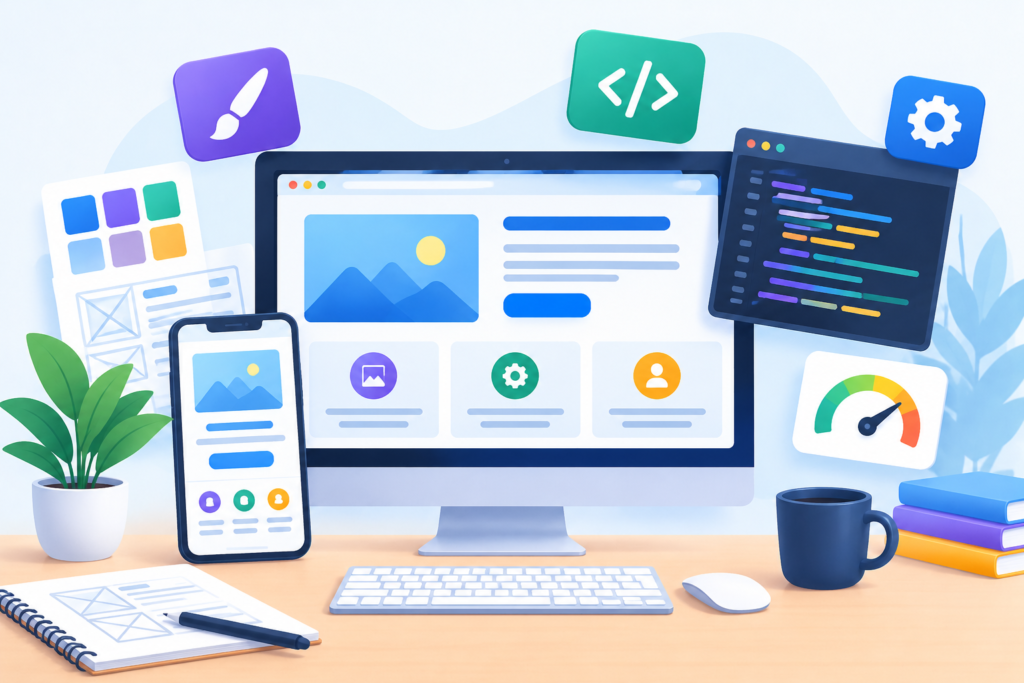
Successful website design and development depend on combining a clear business strategy with reliable technology, useful content, and an excellent user experience. Begin every project by defining its purpose, identifying the intended audience, and deciding how success will be measured. Use audience research and customer feedback to establish priorities, then create a sitemap, content plan, feature list, and realistic development schedule. These steps reduce uncertainty and help prevent unnecessary features from consuming time and budget. Every page should have a clear role, and every important feature should support a genuine user need or business objective.
Design and development decisions should prioritize clarity, accessibility, mobile usability, security, and performance. Use consistent visual patterns, readable typography, descriptive navigation, meaningful headings, and clear calls to action. Build flexible layouts that work across screen sizes, and test them with realistic content rather than relying exclusively on placeholder text. Choose a content management system or development framework based on actual requirements, maintenance capabilities, and total cost of ownership. Keep the technology stack manageable, minimize unnecessary dependencies, and document important configurations. Follow recognized standards such as the Google Search Essentials for search visibility and WCAG accessibility standards for inclusive design.
Quality assurance should cover functional behavior, responsive layouts, accessibility, technical SEO, performance, and security. Test important customer journeys before launch, prepare backups, verify redirects, and establish a rollback procedure. After launch, monitor availability, conversion tracking, user feedback, and performance metrics. Maintain software, review access permissions, test backup recovery, and update content as the business changes. Make improvements according to evidence, prioritizing problems that affect users or create meaningful business risks. Avoid relying on superficial metrics or assuming that more traffic automatically means more revenue.
Finally, treat the website as a long-term investment rather than a finished product. Maintain an organized backlog of improvements, document decisions, and assign clear ownership for content and technical operations. Evaluate changes according to their impact on customer experience, qualified leads, revenue, and operational efficiency. Be transparent about capabilities and limitations, support claims with reliable evidence, and never sacrifice customer trust for short-term conversion gains. By applying these best practices consistently, businesses can build a website that is dependable, easy to use, search-friendly, and prepared to support future growth.
Frequently Asked Questions
1. What is the difference between website design and website development?
Website design focuses on the visual appearance, layout, navigation, content presentation, and overall user experience. Website development focuses on implementing those designs through programming, integrations, databases, content management systems, and other technologies. Design determines how visitors interact with the website, while development makes its functionality work. Both disciplines must be coordinated to produce a website that is visually consistent, usable, secure, and technically reliable. Many projects also require content strategy, SEO, accessibility testing, and ongoing maintenance.
2. How much does website design and development cost?
The cost depends on the number of pages, design complexity, required functionality, content needs, integrations, platform, and ongoing support. A simple business website may be relatively affordable, while a custom application or large e-commerce platform can require substantially more investment. Additional costs may include domain registration, hosting, premium software, content creation, accessibility improvements, security monitoring, and maintenance. Request a detailed proposal that separates one-time development costs from recurring expenses. Compare providers based on scope, quality, support, and deliverables rather than price alone.
3. How long does it take to build a business website?
The timeline depends on the project’s scope, approval process, content readiness, technical requirements, and testing needs. A small website with a defined structure and ready-to-use content may take considerably less time than a complex website requiring custom integrations or extensive product data. Delays often occur when requirements change, stakeholders provide conflicting feedback, or essential content arrives late. Establish milestones for planning, design, development, content entry, testing, and launch. A realistic schedule should allow sufficient time to identify and correct problems rather than treating launch speed as the only measure of success.
4. Which platform is best for website design and development?
The best platform depends on the website’s purpose and the people responsible for maintaining it. A content management system can be appropriate for a business website that requires frequent content updates, while an e-commerce platform may be better suited to online product sales. Custom development may be necessary for specialized workflows or complex applications. Compare ease of use, security updates, performance, flexibility, integrations, accessibility, and total cost of ownership. Select a platform that meets current requirements without creating unnecessary technical complexity.
5. How can I make my website mobile-friendly?
Use responsive layouts, flexible images, readable typography, and navigation that works on touchscreens. Ensure buttons and form fields are comfortable to use, keep important information accessible, and avoid horizontal scrolling. Optimize images and scripts to support fast loading on mobile connections. Test the website across different viewport sizes, browsers, and real devices. Check that menus, forms, buttons, and checkout flows work correctly with touch and keyboard interaction. Regularly review mobile performance and usability rather than assuming that a responsive template automatically solves every problem.
6. How does website design and development affect SEO?
Website design and development influence how easily search engines can discover, crawl, and understand content, as well as how effectively visitors can use it. Clear navigation, descriptive URLs, useful internal links, appropriate page titles, mobile-friendly layouts, and accessible content can support a stronger search experience. Performance and technical reliability also matter. However, a technically sound website does not guarantee high rankings. Search visibility also depends on content quality, relevance, competition, authority, and other factors. Follow Google’s SEO Starter Guide and prioritize content that genuinely helps your audience.
7. How can I improve website speed and performance?
Start by measuring representative pages to identify the largest bottlenecks. Optimize image dimensions and file sizes, reduce unnecessary scripts, review third-party integrations, and configure caching where appropriate. Check server response times and avoid loading features that visitors do not need. Monitor Core Web Vitals, including LCP, INP, and CLS, and test both simulated and real-user performance when possible. Make changes incrementally and retest afterward. The most effective improvements depend on the actual causes of poor performance, so measurement should guide the work instead of relying on a universal checklist.
8. How often should a business website be maintained?
Maintenance frequency depends on the website’s complexity, security exposure, software stack, and business importance. Security alerts and critical failures require prompt attention, while routine software updates, backups, broken-link checks, and functionality reviews should follow a defined schedule. High-risk websites may need continuous monitoring and frequent recovery testing. Content should be reviewed whenever services, prices, policies, or other important details change, with broader content audits conducted periodically. Assign clear responsibility for maintenance and document the steps needed to restore the website if a serious problem occurs.
Conclusion
Website design and development are essential for building a professional online presence that supports customer needs and business growth. A successful website combines attractive visuals, intuitive navigation, responsive layouts, useful content, reliable functionality, strong security, and effective search engine optimization. Each element contributes to the overall experience, helping visitors understand a business, evaluate its offerings, and take meaningful action. Businesses that invest in careful planning and consistent quality assurance can avoid common development problems and create a stronger foundation for their digital activities.
Long-term results depend on more than launching an attractive website. Regular maintenance, performance monitoring, accessibility reviews, content improvements, and user feedback help keep the website relevant as customer expectations and business requirements change. Technology choices should support practical needs, while design decisions should make information easier to understand and actions easier to complete. By measuring qualified leads, conversions, customer engagement, and technical performance, businesses can identify opportunities to improve results without relying on assumptions or unnecessary redesigns.
At MyBlogPoster, the focus is on helping businesses understand and implement digital strategies that support sustainable online growth. Whether you are creating a new website or improving an existing one, start with clear objectives, prioritize the needs of your audience, and make decisions based on evidence. A website that combines usability, trust, performance, accessibility, and ongoing improvement can become a valuable long-term business asset.
Want to Implement This Easily?
AI Implementation Prompt: Website Design and Development
You are an expert consultant. Based on the blog post titled “Website Design and Development”, provide a step-by-step, practical implementation guide. Include tools, best practices, common mistakes to avoid, and advanced tips. Assume the reader wants to implement everything discussed in this article effectively.
Create a structured action plan that covers:
- Business goals and planning: Define website objectives, identify the target audience, research competitors, establish success metrics, and create a realistic project scope.
- Website structure and content: Develop a sitemap, plan page content, organize navigation, identify relevant keywords, and create useful, trustworthy content.
- Design and user experience: Establish the visual identity, create wireframes, develop responsive layouts, improve navigation, and apply accessibility principles.
- Technology selection: Recommend an appropriate content management system, development framework, hosting solution, and essential integrations based on the project’s requirements and budget.
- Development and functionality: Explain how to implement front-end components, back-end functionality, forms, analytics, and other required features.
- SEO and performance: Provide actionable steps for technical SEO, image optimization, Core Web Vitals, internal linking, indexing, and structured data where appropriate.
- Security and privacy: Explain HTTPS configuration, software updates, access controls, backups, privacy practices, vulnerability prevention, and recovery planning.
- Testing and launch: Create a pre-launch checklist covering functionality, mobile responsiveness, accessibility, security, performance, redirects, analytics, and quality assurance.
- Conversion optimization: Explain how to improve calls to action, landing pages, lead forms, trust signals, and conversion tracking.
- Maintenance and improvement: Create a recurring schedule for updates, backups, monitoring, content reviews, analytics, and performance improvements.
For every stage, include the recommended tools, implementation instructions, expected deliverables, measurable success criteria, estimated effort, and common mistakes to avoid. Distinguish essential tasks from optional enhancements. Recommend practical solutions for beginners while explaining advanced options for experienced developers. Use official documentation and authoritative sources where appropriate. Do not invent results, guarantees, or technical requirements.
Finish with a prioritized 30-day implementation roadmap, a practical project checklist, and recommendations for maintaining and improving the website over the long term.
Call to Action: Want our help implementing this? Just reach out to us via our website contact form: https://www.myblogposter.com/contact-us/