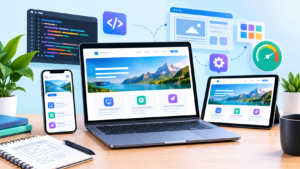
Learn how Website Design and Development combines strategy, UX, responsive design, SEO, performance, accessibility, security, and conversion optimization to create a reliable and growth-focused website.
Introduction
A modern website is much more than a digital business card. It is often the first place where potential customers discover a company, evaluate its credibility, understand its services, compare available solutions, and decide whether to take the next step. That is why Website Design and Development should be approached as a strategic business process rather than simply a visual design project. A successful website combines thoughtful planning, intuitive user experience, responsive design, useful content, technical reliability, strong security, accessibility, search visibility, and measurable business objectives.
At MyBlogPoster, the goal of Website Design and Development should be understood from the perspective of the complete user journey. A visitor may arrive through Google Search, a social media post, an advertisement, an email campaign, a referral, or a direct visit. Regardless of the source, the website needs to quickly communicate what the organization does, why it matters, and what the visitor can do next. Every important page should have a clear purpose, while every technical component should support usability, reliability, performance, or maintainability.
The strongest websites are not necessarily the ones with the most animations, the largest number of features, or the most complicated technology stack. They are the websites that make important tasks easier. Users can find information, understand offers, compare options, complete forms, purchase products, contact a business, or access resources without unnecessary friction. At the same time, administrators and developers need a system that can be maintained, secured, measured, and expanded. This guide explores the major principles behind building that type of website, from initial planning through technical implementation and long-term improvement.
Understanding the Strategic Role of Website Design and Development
Website design and website development are closely related but involve different areas of expertise. Design focuses on the visual and interactive experience, including layout, typography, colors, imagery, navigation, information hierarchy, interaction patterns, and responsive behavior. Development turns those concepts into a working digital system using technologies such as HTML, CSS, JavaScript, databases, APIs, server-side programming, content management systems, and hosting infrastructure. A high-quality website requires these disciplines to work together rather than treating design and development as isolated stages.
The first strategic question should always be: What is the website supposed to accomplish? A service business may want qualified enquiries. An online store may prioritize product discovery and completed purchases. A professional organization may need to demonstrate expertise and establish trust. A publisher may require an efficient content management workflow. A software company may need product demonstrations, documentation, account functionality, and technical integrations. These objectives affect everything from the navigation structure to the page templates, calls to action, content strategy, analytics configuration, and technical architecture.
A strategic approach also recognizes that the website exists within a larger digital ecosystem. Search engines, social platforms, advertising campaigns, email marketing, customer relationship systems, analytics platforms, payment providers, and third-party services may all connect to the website. Decisions made during development can therefore affect marketing performance and operational efficiency long after launch. Google’s official Google Search Central resources provide guidance covering crawling, indexing, search appearance, structured data, security, and other search-related considerations. Designing the website with these fundamentals in mind creates a stronger foundation than attempting to retrofit important requirements after launch.
Defining Website Goals, Audience, and Project Requirements
Every successful website project should begin with a clear understanding of its goals. A vague objective such as “create a professional website” is not enough to guide design and development decisions. A stronger project definition identifies measurable outcomes. These might include increasing qualified enquiries, generating online sales, improving appointment bookings, increasing registrations, reducing customer support requests, publishing educational resources, or improving the discoverability of important services.
Audience research is equally important. A website should be designed around the people who will actually use it rather than around internal assumptions. Consider what users are trying to accomplish, what questions they have, what information they need before making a decision, what objections may prevent conversion, and how much technical knowledge they are likely to possess. A B2B website may require detailed technical information and proof of expertise, while a consumer website may need concise explanations, visual demonstrations, reviews, pricing information, and straightforward purchasing steps.
Project requirements should then convert those business and audience needs into practical specifications. Requirements may include page types, navigation, content management, user accounts, forms, search functionality, payment processing, booking systems, APIs, analytics, accessibility requirements, security controls, integrations, backups, hosting, and maintenance. It is also useful to separate must-have functionality from features that can be introduced later. This prevents a project from becoming overloaded before its core experience is stable.
A written requirements document also provides a useful decision-making framework. If a proposed feature does not support an established user need or business objective, it can be evaluated more critically. This helps control scope and reduces the risk of building functionality simply because it looks impressive. Good planning saves time later because designers, developers, content creators, SEO specialists, and business stakeholders are working toward the same outcome.
Creating Information Architecture That Makes Content Easy to Find
Information architecture determines how information and functionality are organized throughout a website. It includes page hierarchy, navigation, categories, labels, content relationships, internal links, and user pathways. Even excellent content can become difficult to use if it is placed inside a confusing structure. Users should be able to understand where they are, where they can go next, and where to find information relevant to their current task.
The process should begin by identifying important user journeys. A service company might need clear pathways from the homepage to service pages, industry pages, case studies, resources, and contact forms. An e-commerce store may need category pages, product pages, filters, shopping cart functionality, checkout, account management, delivery information, and customer support. A publishing platform may require topic hubs, author pages, archives, search functionality, and related content. The structure should reflect actual user needs rather than forcing every organization into the same navigation model.
Clear labels are particularly important. Navigation should use language visitors understand immediately. Clever or vague labels can create unnecessary uncertainty. A visitor should not have to guess what will happen after clicking a navigation item. Important pages should also be accessible without requiring excessive navigation depth. Contextual links can help users discover related information naturally while also establishing relationships among pages.
A logical information architecture can support search visibility as well. Google’s Google SEO Starter Guide explains fundamental approaches to making websites easier for search engines to understand and users to discover. Internal links, descriptive page relationships, logical navigation, and accessible content all contribute to a stronger overall site structure. SEO should therefore be considered during information architecture rather than added as an afterthought.
Designing User Experiences That Reduce Friction
User experience describes how easily visitors understand, navigate, and interact with a website. Strong UX does not necessarily require sophisticated animations or complex interface patterns. In many situations, good UX comes from removing unnecessary decisions and making important actions obvious. Users should quickly understand what a page is about, determine whether it addresses their needs, and identify the next useful action.
Visual hierarchy is a central part of this process. Headings should establish clear relationships between sections, important information should be visually distinguishable, and interactive elements should look interactive. Buttons should use understandable labels instead of ambiguous phrases. Forms should request information that is genuinely necessary. Error messages should explain what happened and, where possible, tell users how to correct the problem.
UX should also consider different stages of the customer journey. A first-time visitor may need introductory information, while a returning customer may want to reach an account or support section immediately. Someone arriving from a highly specific search query expects the landing page to address that subject directly. A person who completes a form needs confirmation that the submission succeeded. A visitor who encounters unavailable information should ideally receive a useful alternative instead of a dead end.
Good UX is therefore closely connected to trust. When a website behaves predictably, communicates clearly, loads efficiently, and provides helpful feedback, users have fewer reasons to doubt the business. Conversely, broken links, confusing navigation, unexpected pop-ups, inaccessible controls, unclear forms, or inconsistent layouts can weaken confidence. The goal is to make the experience feel natural enough that visitors can focus on their objectives instead of figuring out how the interface works.
Building Responsive and Mobile-First Website Experiences
Responsive design allows a website to adapt to different screen sizes and device contexts. Visitors may use smartphones, tablets, laptops, desktops, and larger displays, so a website should not depend on a single fixed screen dimension. Flexible layouts, responsive images, adaptable components, scalable typography, and appropriate CSS techniques allow the interface to remain usable across different environments.
A mobile-first approach can help teams prioritize what is truly important. Limited screen space exposes unnecessary navigation items, excessive visual decoration, poorly structured content, and complicated forms. By beginning with essential content and actions, designers can establish a stronger foundation before expanding the experience for larger displays. This does not mean creating a separate “mobile website.” It means creating components that adapt intelligently to different contexts.
Responsive development must also account for interaction methods. Touch interfaces require appropriately sized controls. Navigation menus should be easy to open and close. Forms should be comfortable to complete on smaller screens. Important actions should not depend exclusively on hover states. Images and videos should adapt without creating unnecessary downloads. Typography must remain readable without requiring users to zoom.
Google’s mobile-friendly guidance provides important context for modern website development, particularly because search systems evaluate the mobile version of sites. Google’s current page experience documentation also highlights mobile usability, secure delivery, Core Web Vitals, and other aspects of the overall experience.
Developing a Strong Visual Design System and Brand Experience

Visual design should communicate the identity of the organization while supporting usability. Colors, typography, spacing, imagery, icons, buttons, cards, forms, navigation, and other interface elements should work together as a consistent system. Without consistency, different pages can feel as though they belong to different websites. A design system establishes reusable rules and components so that the website remains visually coherent as it grows.
Typography is particularly important because it affects readability and hierarchy. Font choices should consider legibility, loading performance, character coverage, and the needs of different devices. Headings should clearly distinguish major sections from supporting information. Paragraph text should be comfortable to read over longer sessions. Links and buttons should be visually distinguishable from ordinary text without creating excessive visual noise.
Color selection should also consider accessibility. Color should not be the only method used to communicate meaning because some users may have difficulty distinguishing certain colors. Contrast should be considered for text, controls, icons, and important interface states. Images should support the surrounding content rather than being inserted purely as decoration. Where images convey meaningful information, appropriate alternative descriptions should also be considered.
A reusable design system improves development efficiency as well. Components such as buttons, forms, cards, alerts, navigation menus, and content blocks can be standardized and reused across templates. When a design decision changes, developers can update the system instead of manually modifying dozens of unrelated elements. This makes the website easier to maintain and creates a more consistent experience for users.
Planning SEO-Friendly Website Architecture from the Beginning
Search engine optimization should be considered during website planning rather than treated as a final checklist. Important SEO decisions are connected to information architecture, content organization, URL structures, internal links, metadata, rendering, indexability, page templates, structured data, and technical accessibility. When these factors are considered from the beginning, the development team can create systems that make future optimization easier.
An SEO-friendly website begins with content that serves a genuine user need. Each important page should have a clear purpose and should provide information appropriate to its intended audience. Page titles and headings should accurately describe the content. URLs should be understandable. Internal links should help users discover related information. Content should be organized around topics and user intent rather than being created solely to insert keywords.
Technical SEO also requires attention to how search engines access and process content. Developers may need to consider crawlability, indexability, canonical URLs, redirects, XML sitemaps, robots directives, JavaScript rendering, duplicate content, status codes, and structured data. Google’s Search Essentials provide official technical and spam-policy guidance for websites appearing in Google Search. Google’s documentation should be treated as the primary reference rather than relying entirely on outdated third-party SEO advice.
Keyword usage should remain natural. Repeating the same phrase excessively can reduce readability and may create content that feels written for search engines rather than people. Stronger optimization comes from understanding the topic thoroughly and covering relevant questions, entities, concepts, examples, and user needs. Search visibility is most sustainable when technical quality and genuinely useful content reinforce one another.
Improving Website Performance and Core Web Vitals
Performance affects how quickly visitors can see, understand, and interact with a website. Slow pages can create friction before users even evaluate the site’s content. Performance optimization should therefore be incorporated during design and development rather than postponed until the final stages of a project.
Common performance considerations include image optimization, efficient asset delivery, caching, server response time, JavaScript management, CSS optimization, font loading, third-party scripts, content delivery infrastructure, and appropriate resource prioritization. Images should generally be delivered at dimensions suitable for their display context. Unnecessary scripts should be removed or deferred when appropriate. Third-party tools should be evaluated because every additional service can introduce network requests, JavaScript execution, privacy considerations, or potential reliability issues.
Core Web Vitals provide user-focused measurements associated with loading performance, responsiveness, and visual stability. They are useful because they translate aspects of technical performance into metrics connected to real user experiences. Google’s Core Web Vitals resources provide detailed information about these measurements and how they can be assessed. Google’s current page-experience documentation also explains that website owners should consider the overall experience rather than concentrating on one or two isolated signals.
Performance should be measured continuously rather than checked only before launch. A website can become slower after adding new images, plugins, tracking systems, advertising technology, videos, or application functionality. Regular monitoring helps identify these regressions. The objective is not simply to achieve a high score in a testing tool; it is to create a website that remains fast, stable, and responsive for real visitors across realistic devices and network conditions.
Choosing the Right Technology Stack and Development Approach
The technology stack should be selected according to the website’s requirements rather than popularity alone. Different projects have different needs. A relatively simple business website may benefit from a mature content management system and a lightweight theme or custom component system. A complex web application may require a dedicated frontend framework, backend architecture, database layer, API infrastructure, authentication system, and specialized deployment environment.
The development approach should consider performance, maintainability, security, scalability, developer expertise, integration requirements, content workflows, and long-term ownership. Using a technology simply because it is fashionable can create unnecessary complexity. Similarly, choosing the simplest available technology without considering future requirements can create limitations that become expensive to address later.
A good technical architecture separates responsibilities where appropriate. Presentation, application logic, data storage, authentication, integrations, and infrastructure should have clear boundaries. This makes troubleshooting easier and allows individual components to evolve without destabilizing the entire system. Version control, staging environments, automated testing, deployment procedures, dependency management, and documentation should also be considered part of professional development rather than optional extras.
The choice between custom development and an existing platform should likewise be based on requirements. Custom functionality can provide greater control but generally requires more development and maintenance. Established platforms can accelerate delivery and provide mature ecosystems, but they may introduce dependency and customization constraints. The right solution is the one that satisfies the project’s actual requirements while maintaining an appropriate balance between flexibility, complexity, cost, performance, and maintainability.
Building Accessibility Into the Website From the Start
Accessibility means designing and developing websites that can be used by people with a broad range of abilities and interaction methods. It should not be treated as a cosmetic adjustment made immediately before launch. Accessibility influences semantic HTML, keyboard navigation, focus states, color contrast, form labels, alternative text, headings, error messages, media, interactive controls, and overall information structure.
Semantic HTML provides an important foundation. Appropriate headings help organize content, buttons should be used for actions, links should be used for navigation, form controls should have understandable labels, and meaningful content should be exposed properly to assistive technologies. Keyboard users should be able to move through interactive elements logically. Focus indicators should remain visible. Components that work with a mouse should not become unusable when a keyboard or other input method is used.
Accessible design can also improve usability for everyone. Clear labels, readable text, logical headings, understandable forms, strong contrast, predictable navigation, and useful error messages benefit users regardless of whether they identify as having an accessibility requirement. Accessibility should therefore be understood as part of quality rather than simply compliance.
Testing should include both automated tools and human review. Automated checks can identify certain issues, but they cannot understand every contextual problem. Important workflows should be tested with keyboard navigation and appropriate assistive technology where possible. Content creators should also receive guidance because accessibility problems can be introduced during routine publishing. Building accessibility into the design system makes these practices easier to maintain across future pages and components.
Protecting Websites Through Secure Development Practices
Security should be incorporated throughout the website lifecycle. A website may process personal information, account credentials, payment data, contact forms, business information, or other sensitive resources. Even sites that appear simple can be affected by compromised plugins, weak authentication, outdated dependencies, insecure configurations, injection vulnerabilities, unauthorized access, or poorly protected administrative interfaces.
Secure development begins with reducing unnecessary exposure. Software and dependencies should be maintained, administrative access should be protected, permissions should follow the principle of least privilege, sensitive information should be handled appropriately, and production systems should not expose unnecessary services. Authentication mechanisms should be implemented carefully, while sessions, passwords, tokens, and authorization checks should receive appropriate protection.
The current OWASP Top 10 is a useful security-awareness reference for web application development. OWASP’s current project documentation identifies the 2025 release as the latest version and covers risks including broken access control, security misconfiguration, software supply chain failures, cryptographic failures, injection, insecure design, authentication failures, software or data integrity failures, security logging and alerting failures, and mishandling of exceptional conditions.
Security should also continue after launch. Backups need to be tested, software should be updated, logs should be reviewed where appropriate, suspicious activity should be monitored, and recovery procedures should be documented. A website is not secure simply because it uses HTTPS. Transport encryption is important, but secure website development requires a broader approach that considers code, dependencies, infrastructure, authentication, authorization, data handling, configuration, monitoring, and incident response.
Creating Content Structures That Support Users and Search Visibility
Content is one of the most important components of a website because design and technology cannot compensate for information that fails to answer users’ questions. A content strategy should identify the subjects the website needs to cover, the audiences involved, the purpose of each page, and the stage of the customer journey addressed by the content.
Service pages should explain what is offered, who it is for, what problems it addresses, how the process works, and what users should do next. Product pages should provide accurate information that helps customers make informed decisions. Educational content should answer genuine questions with sufficient depth. About pages should explain relevant organizational information without turning into unsupported promotional claims. Supporting content can then connect these pages through contextual internal links.
Content should also demonstrate appropriate expertise and trust. Claims should be accurate and supportable. Where expertise matters, authorship and relevant credentials can provide useful context. Examples, case studies, documentation, demonstrations, and transparent explanations can be more persuasive than exaggerated marketing language. The objective should be to help visitors make informed decisions.
A scalable content structure is especially important for growing websites. Templates should make it possible to publish new content without compromising formatting, metadata, internal links, structured data, accessibility, or performance. Editorial teams should understand which fields are required, how images should be prepared, how headings should be structured, and how related content should be connected. Good content architecture therefore supports both human readers and the technical systems that help users discover information.
Designing Conversion-Focused Pages Without Sacrificing User Experience
Conversion-focused design is about helping visitors take meaningful actions when those actions align with their needs. Depending on the website, a conversion may be a purchase, enquiry, registration, appointment, download, subscription, account creation, or another valuable interaction. Conversion optimization should not mean pressuring visitors with excessive pop-ups, misleading buttons, or aggressive design patterns. It should mean making the intended action clear and reducing unnecessary friction.
A strong landing page usually establishes context quickly. Visitors should understand what is being offered, why it may be relevant, and what they can do next. Supporting information can then address important concerns, such as features, benefits, process, evidence, pricing considerations, guarantees where applicable, frequently asked questions, or relevant case studies. The page should provide enough information for the intended audience to make a reasonable decision without forcing them through unnecessary steps.
Forms deserve special attention because they often represent a significant point of friction. Request only information that is necessary for the immediate purpose. Use clear labels, appropriate field types, understandable validation, and helpful error messages. On mobile devices, forms should be easy to navigate and complete. Confirmation states should reassure users that their action was successful and explain what happens next when relevant.
Conversion-focused design should also respect trust. Users should never be tricked into clicking something they did not intend to click. Calls to action should accurately describe the resulting action. Pricing, terms, shipping information, privacy information, and other important conditions should not be hidden unnecessarily. Sustainable conversion optimization comes from clarity and confidence rather than manipulation.
Testing, Quality Assurance, and Pre-Launch Validation
A website should not be considered finished simply because the pages appear complete. Testing is required to identify defects that may not be obvious during normal development. Quality assurance should cover functionality, responsive behavior, browsers, devices, accessibility, performance, security, forms, navigation, integrations, content, analytics, redirects, and error handling.
Functional testing verifies that important interactions actually work. Forms should submit correctly. Buttons should lead to the intended destinations. Search should return appropriate results. Account functionality should handle expected and unexpected conditions. E-commerce systems should correctly process product selections, cart changes, checkout steps, payment states, confirmation messages, and order information. Third-party integrations should be tested under realistic conditions rather than assumed to work because an API connection was established.
Cross-browser and responsive testing are equally important. A layout that looks correct in one browser can behave differently elsewhere. Fonts may render differently, CSS features may have compatibility differences, and JavaScript interactions can expose unexpected problems. Testing should include realistic screen sizes and input methods rather than only the developer’s preferred environment.
Pre-launch SEO and technical checks should also be systematic. Verify important URLs, canonical settings, indexability, redirects, metadata, structured data, XML sitemaps, robots directives, internal links, image handling, page status codes, analytics, and Search Console configuration. Performance should be checked using realistic page templates. Security controls should be reviewed. Backups and rollback procedures should be available before production deployment.
Launching, Monitoring, and Continuously Improving the Website

Website launch is the beginning of an operational lifecycle rather than the final step of the project. Once a website becomes publicly accessible, real users will reveal problems and opportunities that may not have appeared during development. Monitoring should therefore begin immediately and continue throughout the site’s life.
The first stage after launch should focus on stability. Monitor errors, broken links, server responses, form submissions, transactions, analytics, search visibility, performance, security alerts, and important user journeys. A small issue affecting a high-value page can have a disproportionate business impact. Monitoring allows teams to detect problems before they become widespread.
Performance and search visibility should also be reviewed over time. New content, plugins, tracking tools, images, integrations, and design changes can affect performance. Changes to navigation or URLs can affect crawling and indexing. Updates to third-party systems can affect forms and integrations. Regular reviews help identify these changes before they accumulate.
Continuous improvement should be based on evidence rather than assumptions. Analytics can show where visitors enter and leave. Search data can reveal queries and pages receiving visibility. Conversion data can identify friction in important journeys. User feedback can reveal issues that quantitative analytics cannot explain. Testing can then be used to investigate specific improvements.
A strong maintenance process should include software updates, security reviews, backups, content maintenance, accessibility checks, performance monitoring, broken-link detection, analytics validation, and periodic UX reviews. Websites are living systems. Treating them as permanent assets that require ongoing attention creates a much more sustainable digital presence than launching once and leaving the system unchanged.
Common Mistakes When Building a Website
One of the most common mistakes in website projects is starting with visual design before defining the purpose, audience, content structure, and required functionality. A beautiful homepage cannot compensate for unclear messaging or a confusing user journey. Businesses sometimes choose templates because they look attractive in a demonstration environment, only to discover later that the template does not support their actual content, navigation, conversion process, or technical requirements. The better approach is to define the site’s goals and architecture first, then select or create a visual system that supports those requirements.
Another frequent mistake is treating mobile optimization, performance, accessibility, SEO, and security as final-stage tasks. These areas are deeply connected to the underlying architecture. If developers build a desktop-first interface with oversized media, complicated interactions, and poorly structured components, fixing the experience later can require significant rework. Similarly, if SEO is considered only after URLs, templates, navigation, and content have been finalized, important technical changes may become difficult. Google’s official Search Essentials provide foundational guidance covering technical requirements, spam policies, and key search considerations.
Security is another area where shortcuts can create long-term problems. Installing outdated plugins, using weak administrator credentials, granting excessive permissions, ignoring software updates, or failing to maintain backups can increase exposure. The current OWASP Top 10 identifies major web application security risks and is useful as an awareness reference for development teams. The 2025 edition includes areas such as broken access control, security misconfiguration, software supply chain failures, injection, insecure design, authentication failures, software and data integrity failures, logging and alerting failures, and mishandling exceptional conditions.
A further mistake is adding features without considering their effect on usability and maintenance. Excessive pop-ups, unnecessary animations, complicated menus, autoplay media, intrusive notifications, and too many third-party scripts can make the website harder to use. Every feature should have a reason for existing. If it does not solve a user problem, support a business objective, improve accessibility, provide useful information, or strengthen an essential workflow, its value should be questioned.
Finally, many website owners treat launch as the end of the project. In reality, launch begins the monitoring and improvement phase. Search visibility changes, new content is published, software dependencies are updated, browsers evolve, integrations change, and customer behavior reveals new opportunities. A website that is not maintained can gradually become slower, less secure, less accessible, and less useful. A sustainable website strategy therefore includes ongoing technical maintenance, content improvement, performance monitoring, security reviews, analytics analysis, and UX refinement.
Best Practices Summary
The first best practice is to design around genuine user needs. Every major page should have a clear purpose, and users should understand what the page offers without unnecessary effort. Content should be accurate, useful, readable, and appropriately detailed. Navigation should help visitors discover information instead of forcing them through an artificial sequence of pages.
The second best practice is to build technical quality into the project from the beginning. Responsive layouts, semantic HTML, accessible controls, optimized images, efficient code, appropriate caching, secure configurations, analytics, search-friendly architecture, and maintainable components should be considered during development. Google’s SEO Starter Guide provides useful foundational guidance for making websites easier for search engines to understand, while Core Web Vitals provides a framework for evaluating important aspects of real-world user experience.
The third best practice is to measure before making assumptions. Website teams should establish meaningful KPIs and monitor the metrics connected to actual business goals. Traffic alone may not indicate success. Depending on the website, useful measurements can include qualified leads, completed purchases, engagement with important content, form completion rate, booking completion, search visibility, page performance, error rates, and customer feedback.
The fourth best practice is to keep the website maintainable. Developers should use version control, documented deployment procedures, staging environments, controlled dependencies, reusable components, and appropriate testing. Content teams should have clear publishing processes. Administrators should know how to update software, recover backups, manage permissions, and respond to problems.
Finally, a high-quality website should be continuously evaluated against user expectations. Design trends will change, technology will evolve, search engines will update their systems, and business priorities will shift. A website should therefore have enough flexibility to evolve without requiring a complete rebuild every time the organization introduces a new service, content category, integration, or customer journey.
Frequently Asked Questions
1. What is Website Design and Development?
Website Design and Development is the combined process of planning, designing, building, testing, launching, and maintaining a website. Design focuses on the visual interface, usability, information hierarchy, navigation, branding, and user experience. Development focuses on implementing those designs through frontend and backend technologies, databases, integrations, content management systems, and infrastructure.
The two disciplines overlap throughout the project. Designers need to understand technical constraints, while developers need to understand usability and accessibility requirements. A successful project connects both perspectives instead of treating design as a picture that developers simply reproduce.
The process can also include content strategy, search optimization, analytics, performance engineering, security, accessibility, conversion optimization, quality assurance, hosting, and ongoing maintenance. The exact combination depends on the website’s goals and complexity.
2. How long does it take to build a professional website?
There is no universal timeline because website complexity varies significantly. A relatively simple brochure-style website may require considerably less development than an e-commerce platform, membership system, marketplace, SaaS application, or website with extensive integrations.
The timeline is influenced by the number of templates, content readiness, design complexity, functionality, integrations, technical architecture, feedback cycles, testing requirements, and approval processes. Projects can also be delayed when content, images, product information, technical credentials, or stakeholder decisions are unavailable.
A better planning method is to divide the project into discovery, architecture, content preparation, design, development, integration, testing, launch, and post-launch monitoring. This provides clearer milestones than estimating the entire project as one undifferentiated block of time.
3. Should a website be designed for mobile devices first?
A mobile-first approach can be highly useful because it encourages teams to prioritize essential content and functionality. Smaller screens make unnecessary complexity easier to identify and force designers to consider the most important user actions.
However, mobile-first does not mean that desktop users should receive an inferior experience. The objective is to create a responsive system that adapts intelligently across screen sizes. Navigation, typography, images, forms, cards, tables, buttons, and interactive components should all remain usable in different contexts.
Testing should therefore include multiple screen sizes and input methods rather than relying on a single smartphone or desktop browser. Responsive design is ultimately about adaptability, not simply creating one mobile layout.
4. Does website design affect SEO?
Yes. Website design decisions can affect SEO indirectly and sometimes directly because design influences navigation, content hierarchy, mobile usability, accessibility, page performance, internal linking, and how content is presented.
For example, an interface that hides important content behind complicated interactions may create usability and discoverability challenges. Oversized images can contribute to slower loading. Poor navigation can make important pages difficult to reach. An unclear heading structure can reduce content clarity.
SEO should therefore be considered alongside design and development. Google’s Search Central documentation provides official guidance for crawling, indexing, search appearance, structured data, and other search-related topics.
5. How important is website security?
Website security is essential for protecting users, business information, accounts, applications, and infrastructure. The appropriate security controls depend on what the website does and what information it handles.
Basic security measures can include HTTPS, secure authentication, strong access controls, software updates, dependency management, backups, secure configuration, appropriate permissions, monitoring, and careful data handling. More complex applications may require threat modeling, security testing, code review, penetration testing, and formal security verification.
The OWASP Top 10 is useful as an awareness resource for understanding important web application security risks. OWASP states that its latest released version is the 2025 edition.
6. What makes a website accessible?
An accessible website allows people with different abilities and interaction methods to use its content and functionality. Accessibility includes semantic structure, keyboard navigation, visible focus indicators, readable content, sufficient contrast, descriptive labels, useful error messages, appropriate alternative text, accessible forms, and correctly implemented interactive components.
Accessibility should be built into the design system rather than added after development. Designers should consider contrast and interaction states, while developers should use appropriate semantic elements and test keyboard and assistive-technology workflows.
The WCAG guidelines provide an internationally recognized framework for web accessibility. Teams should also consider applicable legal and organizational requirements for their particular audience and jurisdiction.
7. How can website performance be improved?
Performance can be improved through a combination of technical and architectural decisions. Common areas include image optimization, efficient caching, reducing unnecessary JavaScript, limiting third-party scripts, improving server response time, optimizing fonts, compressing appropriate resources, and prioritizing critical content.
Performance should be measured rather than assumed. Developers can examine real-world user data alongside controlled testing to identify slow templates and problematic resources. Core Web Vitals can help teams evaluate important aspects of loading, responsiveness, and visual stability.
Optimization should continue after launch because new plugins, scripts, images, videos, integrations, and content can gradually increase page weight. Continuous monitoring is therefore more reliable than performing a single optimization exercise.
8. How often should a website be updated?
There is no single update schedule that applies to every website. Technical maintenance should happen whenever security updates, software patches, dependency changes, or critical fixes become available. Content should be updated when information becomes outdated or when user needs and business offerings change.
A periodic website review can examine broken links, outdated information, accessibility, performance, search visibility, analytics, forms, integrations, backups, security configuration, and user experience.
Businesses should also review major pages whenever products, services, pricing, policies, branding, target audiences, or customer journeys change. Regular incremental improvements are often easier to manage than allowing problems to accumulate until a complete redesign becomes necessary.
Final Quality Checklist for a Professional Website
Before considering a website ready for long-term operation, review the project across several dimensions. Strategy should confirm that the website has defined business objectives, target audiences, user journeys, and measurable KPIs. Content should confirm that important pages provide useful, accurate, original, and sufficiently detailed information.
UX and design should be reviewed for clarity, consistency, responsive behavior, readable typography, intuitive navigation, appropriate calls to action, and predictable interactions. Technical quality should cover page performance, browser compatibility, responsive behavior, error handling, integrations, structured data where appropriate, URL behavior, redirects, and maintainability.
SEO should include crawlability, indexability, useful page titles, logical headings, internal links, canonicalization where appropriate, XML sitemap configuration, appropriate robots directives, and helpful content. Search optimization should never be reduced to repeating keywords.
Security should include appropriate authentication, access control, software updates, dependency management, secure configuration, backups, monitoring, and protection of sensitive information. The current OWASP Top 10:2025 can be used as a security-awareness reference, while more comprehensive security verification should be considered for higher-risk applications. OWASP itself describes the Top 10 as an awareness document rather than a complete security standard.
Accessibility should be tested through both automated checks and human review. Important workflows should work with keyboard navigation, forms should have understandable labels, focus should remain visible, and meaningful content should be available to assistive technologies.
Finally, measurement and maintenance should be prepared before launch. Analytics should be configured correctly, important conversions should be measurable, monitoring should be available, backups should be tested, and someone should be responsible for ongoing updates. This converts a website from a one-time project into a continuously managed digital asset.
Conclusion
Effective Website Design and Development brings together strategy, content, user experience, visual communication, technology, SEO, performance, accessibility, security, testing, and continuous improvement. The most successful projects begin by understanding what users need and what the organization needs the website to accomplish. From there, each design and technical decision can be evaluated against those objectives.
A professional website should be easy to understand, straightforward to navigate, responsive across devices, fast enough for real-world conditions, accessible to a broad audience, protected against relevant security risks, and structured so that search engines can discover and understand useful content. It should also be maintainable because websites continue to change after launch.
At MyBlogPoster, the principles covered throughout this guide can serve as a practical framework for planning and improving a website at any stage of its lifecycle. Whether building a new website or improving an existing one, the focus should remain on delivering useful experiences, reliable technology, trustworthy information, and measurable business value.
The strongest website is not simply the one that looks modern when it launches. It is the one that continues to help users accomplish their goals while giving the organization a dependable platform for communication, growth, and long-term digital operations.
Want to Implement This Easily?
Prompt Text:
You are an expert consultant. Based on the blog post titled “(Website Design and Development)”, provide a step-by-step, practical implementation guide. Include tools, best practices, common mistakes to avoid, and advanced tips. Assume the reader wants to implement everything discussed in this article effectively.
Call to Action: Want our help implementing this? Just reach out to us via our website contact form.